

Zorabet App Download Guide for Fast Casino Access
A mobile session feels much smoother when the lobby opens quickly and the main games are easy to reach, which is why many players look for the Zorabet App first. This guide explains how the Zorabet Casino App is typically accessed, what to check before installation, and how to avoid confusion with unofficial files. It also covers device compatibility, safe download habits, and the simple updates that can improve performance later. If you are comparing browser access with an app-style experience, the details below will help you make sense of both. Learn more about Zorabet Casino Review.
Because the search terms around Zorabet App Download and Zorabet Download are often used loosely, it helps to separate real installation steps from quick mobile shortcuts. Some users only need a browser-based version, while others want a saved icon or installable package for faster entry. This page walks through the practical differences so you know what to expect before you tap anything. It is written as a review and information guide, not as an official casino instruction page.
How to Complete the Zorabet App Download and Installation
The first thing most mobile users notice is whether the page offers a direct install option or simply opens in the browser, and that choice changes the whole Zorabet App Download process. On Android especially, the route may involve a package file, while some users only need a home-screen shortcut. Either way, the goal is the same: get into the lobby with fewer taps and fewer loading delays. A careful setup also reduces the chance of permissions problems later.
Before you start a Zorabet Download, it helps to clear a bit of storage, update the operating system, and make sure your connection is stable. Those small checks can prevent incomplete installs, frozen screens, or login issues after the first launch. People often rush straight to the install button, but a minute of preparation usually saves time. The steps below separate the setup phase from the first-use phase so you can follow the process without guesswork.
What should you check before starting the download?
A reliable Zorabet Application setup begins with simple device checks. Make sure the phone has enough free space, because update files and game assets can be larger than expected. It also helps to confirm that your browser or operating system is current enough for modern mobile pages. If the device is already low on memory, the installation may stop halfway and create extra cleanup work.
Connection quality matters as much as storage when you are preparing for a Zorabet App Download. A stable Wi-Fi signal usually gives you fewer interruptions than a weak mobile network. It is also smart to close other heavy apps before you start, especially if your phone tends to slow down during downloads. Those small habits make the rest of the process feel more predictable.
What happens after the app opens for the first time?
The first launch of a Zorabet Casino Download usually asks the device to confirm a few permissions, and that is normal for many mobile apps. You may see requests related to notifications, storage, or browser access, depending on the route you used. Read each prompt carefully so you only approve what you actually want. A rushed tap can lead to settings you will need to reverse later.
After the opening screen, the Zorabet App should take you toward login or the main lobby rather than a complicated setup wizard. If the interface looks cramped, rotate the screen, adjust the browser zoom, or refresh once before assuming something is wrong. Many mobile issues appear only during the first session, when the cache is still empty and the device is adjusting. Once that initial step is done, the experience is usually much smoother.
A smooth Zorabet App Download is easier to manage when you treat it as a short checklist instead of a guessing game.
- Check storage, battery, and software updates first so the Zorabet Download does not fail halfway through.
- Open the official mobile page or approved install prompt and confirm that the address and branding match the real site.
- Allow only the permissions that make sense for the setup, then wait for the file or shortcut to finish creating.
- Launch the Zorabet Casino App or mobile page once before signing in so you can see whether any display issues appear.
- If everything loads normally, save the shortcut, test navigation, and keep the page or app updated for future visits.
Following this sequence keeps the Zorabet Application setup simple and reduces the chances of troubleshooting later.
Key Features of the Zorabet Casino App for Mobile Players
A mobile lobby is most useful when games, cashier tools, and account pages are easy to reach with one thumb, and that is where the Zorabet Casino App style of layout matters most. Good mobile design reduces scrolling and keeps the main choices visible on smaller screens. It also makes it easier to return to favorite games without hunting through menus. For players who switch between short sessions and longer ones, that speed is the biggest practical benefit.
The real value of a Zorabet App is not just that it opens on a phone, but that it turns common tasks into fewer taps. That can include re-entering the lobby, checking balances, or loading games with less waiting. On a busy network, well-optimized pages also feel more responsive than oversized desktop layouts. The features below focus on what actually helps a player during day-to-day mobile use.
How does the app make game browsing faster?
A well-built Zorabet App Download usually starts with a cleaner lobby, which means fewer visual distractions and faster access to the parts people use most. Instead of forcing you to zoom around a full desktop page, the mobile view groups games, promotions, and account tools into a tighter layout. That saves time every time you return to the home screen. It also makes the page easier to read when you are on a smaller display.
Speed is not only about loading time; it is also about reducing the number of steps between you and the game you want. A good Zorabet Download path often lets you save favorites, reopen recent sections, or jump directly into a title with less searching. Even modest improvements can feel significant when you are using one hand or moving between tabs. The best mobile layout is the one that stays simple under real use.
Which mobile features help during real play?
The most useful Zorabet Casino Download features are usually the ones that lower friction, such as session memory, clear buttons, and readable text. On a phone screen, even small design choices matter because they affect how quickly you can confirm a choice or return to the lobby. If the interface keeps the main actions visible, you spend less time correcting taps. That makes the overall experience feel steadier.
A useful Zorabet Application also tends to handle notifications and account prompts in a less intrusive way. When alerts are spaced out properly, they inform you without breaking your concentration mid-session. The same idea applies to menu structure, because a clean structure reduces accidental taps. Mobile players usually notice those details more than flashy graphics.
These Zorabet Casino App features are easier to judge when you split them into practical benefits.
- Faster access to your favorite games through a cleaner home screen and a tighter Zorabet App layout.
- Less scrolling on smaller displays, which makes the Zorabet App Download experience feel more efficient.
- Clearer account tools and session controls, so balance checks and lobby returns take fewer taps.
- Better readability on mobile screens, especially when the Zorabet Download is used on a compact device.
- More consistent navigation during longer sessions, which helps the Zorabet Casino Download feel stable.
These practical gains are what make the Zorabet Application feel useful instead of just convenient.
Zorabet Application Compatibility for Android and iPhone Devices
Compatibility starts with the operating system, not the brand of phone, which is why a Zorabet Application can feel smooth on one device and clumsy on another. Android users often have more installation flexibility, while iPhone users usually rely on Safari-based access or a saved home-screen shortcut. The exact experience depends on version support, browser quality, and how recently the device was updated. That is why checking the basics first saves time.
A Zorabet Download should be judged by how well it matches the device you already use, not by how fancy the installer looks. Older phones may need extra care because storage, battery health, and OS limits can affect performance. Newer devices still benefit from the right browser settings, especially if the page uses motion-heavy graphics. The table below gives a simple reference for common device scenarios.
What should Android users check first?
Android devices usually give you the widest range of setup options, which is helpful when you are testing a Zorabet App Download. Before installing anything, confirm that the browser or system can handle the current page design and that security settings allow the expected method. If the phone blocks installs from unknown sources, you will need to review that setting carefully. A few seconds in the settings menu can prevent an unnecessary error message.
It also helps to test the screen itself before you rely on a Zorabet Download for daily use. Some older Android models have reduced brightness, smaller RAM pools, or aggressive battery saving, and each of those can affect the way the app or web version behaves. If the device is already overworked, consider closing background apps before opening the lobby. That makes the first session easier to read and less likely to stutter.
How does iPhone access differ from Android?
On iPhone, the Zorabet Casino App experience is often tied to Safari and the way iOS handles web shortcuts. That means the device may not behave like an Android phone that installs a package file directly. Instead, you may open the mobile page and save it to the home screen for faster return visits. The end result can still feel app-like even when the technology underneath is browser-based.
iPhone users should pay close attention to browser prompts because a Zorabet Application shortcut can look simple but still rely on the correct settings behind the scenes. If the page fails to load fully, refresh once, clear a little space, or make sure Safari is current. Many issues come from device restrictions rather than the page itself. Once the setup is right, navigation is usually very consistent.
| Device | Typical access method | What to check first | Practical note |
|---|---|---|---|
| Android phone/tablet | Browser access, home-screen shortcut, or app package if offered | Available storage, OS version, and permission settings | Android usually offers the most flexible setup for the **Zorabet App Download** path. |
| iPhone/iPad | Safari access or saved home-screen shortcut | iOS version, browser settings, and shortcut permissions | iPhone users often rely on streamlined web access for the **Zorabet Casino App** experience. |
| Desktop/laptop | Standard web browser | Browser updates and screen resolution | Useful as a fallback when you want to compare the mobile and desktop layouts. |
| The safe route for a **Zorabet Application** is the one that matches your device version, uses an encrypted connection, and clearly explains the setup steps. | If you use a strong browser and keep your operating system current, the **Zorabet App Download** process is usually straightforward and predictable. | A page that looks rushed, hides key details, or sends you through repeated pop-ups should be treated as suspicious before you continue. | |
| A smart **Zorabet Download** routine starts with verifying the source, reading the permission prompts, and avoiding duplicate installer pages. | If a device asks for something unusual, the safest move is to pause and confirm that the page is actually part of the official **Zorabet App Download** flow. | Good habits keep the **Zorabet Casino App** experience simple because they remove the guesswork before any file reaches the phone. | Do not rely on reposted files, file-hosting mirrors, or random banners that promise instant access without explaining what they are. |
| Regular updates help a **Zorabet Casino Download** stay responsive by refreshing cached files, fixing display errors, and keeping the browser in sync with the page. | If you notice slower loading or repeated login prompts, a newer version of the **Zorabet App** may solve the issue without changing your account details. | A stable installation is usually better than constant reinstalling, so start with a refresh before you decide to remove and rebuild the setup. |
Safe Access and Official Zorabet Download Links
Fake installers often copy brand names well enough to fool someone in a hurry, so a Zorabet Download should always be checked before you trust it. The safest source is the brand’s official mobile path, not a random file shared on social media or a mirror site. A careful user looks at the address, the page layout, and whether the connection is secure. That habit matters even more on devices that prompt you to install files manually.
When people search for a Zorabet App Download, they sometimes find pages that look close to the real thing but are not actually maintained by the brand. A safe install page should explain what you are downloading, why the permissions are needed, and how to return to the main site if you change your mind. If any part of that feels vague, pause before you continue. A few seconds of checking is better than recovering from a bad install later.
How do you verify an official source?
A legitimate Zorabet Casino App source should look consistent from top to bottom, with the same branding, language quality, and navigation style across the page. If the design suddenly changes halfway through the process, that is a reason to slow down rather than rush ahead. Security indicators in the browser also matter because they show whether the connection is encrypted. Those small clues help you separate the real page from a lookalike.
Another useful habit is to compare the instructions on the page with the behavior you actually see during the Zorabet Download. A real source usually explains the setup in plain language and does not pressure you with countdowns or extreme urgency. If you have to hunt for basic information such as permissions or device support, treat that as a warning sign. Good official pages make the process feel clear, not confusing.
What should you avoid before installing?
Avoid extra installers, archive files, and random permission prompts that do not clearly relate to the Zorabet App itself. A file that wants broad access before you even see the interface deserves more scrutiny than a clean, simple install route. You should also avoid mixing multiple browser tabs during setup because that often leads to the wrong download being opened. Staying focused on one source at a time reduces mistakes.
If a page promises instant access but asks you to disable every device safeguard, that is not a normal Zorabet Casino Download flow. Real setup steps are usually boring in a good way: verify, confirm, install, and open. Anything more dramatic than that deserves a second look. The safest move is to close the page and start again from the official route if something feels off.
These checks make a Zorabet App Download safer because they focus on the small details people often skip.
- Confirm the web address matches the official brand domain and that the page loads over HTTPS before you tap any install prompt.
- Read the file name and permissions carefully so a Zorabet App request does not ask for anything unrelated to normal mobile use.
- Avoid third-party stores, file hosts, and social media reposts, since unofficial copies can be altered without warning.
- Close pop-up ads or duplicate tabs immediately; a genuine Zorabet Casino App path should not rely on aggressive redirects.
- If the page asks for unusual access or looks poorly translated, stop and recheck the source before continuing.
Using these habits keeps the Zorabet Application route simple and lowers the chance of installing the wrong file.
Updating the Zorabet Casino Download for Better Performance
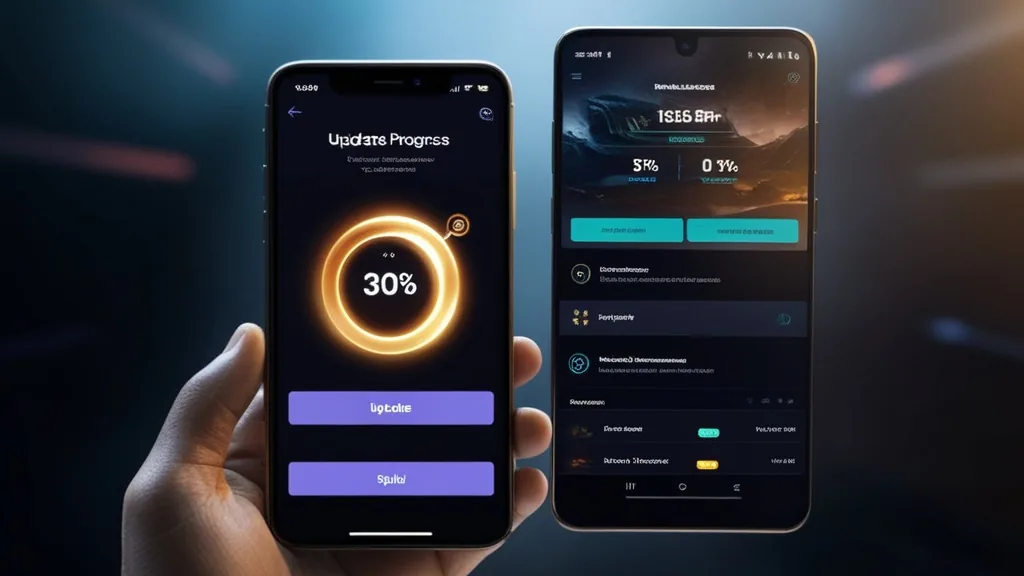
Updates matter because even a stable Zorabet Casino Download can slow down if the page cache, browser version, or app package gets old. Small fixes often improve loading speed, display quality, and the way menus respond to taps. Players usually notice the change most when game thumbnails open faster or login prompts stop repeating. That is why update habits are part of good mobile maintenance, not just a technical extra.
A refreshed Zorabet App can feel more responsive without changing the basic layout you already know. Sometimes the improvement is as simple as a cleaner cache or a newer browser version, while other times it involves reinstalling a package with fewer errors. Either way, the goal is to remove friction rather than add more steps. The sections below explain when to update, when to refresh, and when to leave a stable setup alone.
When is it time to update or refresh the app?
If a Zorabet App Download opens more slowly than it used to, or if menus start lagging, an update is usually the first thing to try. Refreshing the browser, clearing cache, or installing the latest version can fix minor issues without changing your account settings. Reinstalling is only necessary when the current setup keeps failing after basic troubleshooting. In most cases, small maintenance steps are enough.
The same advice applies when a Zorabet Download begins to show display glitches, repeated login prompts, or broken buttons. Those symptoms often point to outdated files, not a problem with the account itself. If the device has not been restarted in a while, that can also be part of the issue. A quick restart plus a fresh open often tells you whether the problem is temporary.
Which performance changes matter most?
The most noticeable improvement in a Zorabet Casino App is usually faster navigation between the lobby, games, and account pages. That might not sound dramatic, but it reduces the little delays that add up during a session. Better responsiveness also makes taps feel more accurate on smaller screens. For mobile players, that consistency is often more useful than extra visual effects.
A well-maintained Zorabet Application can also use memory more efficiently, which matters on older phones that already run close to capacity. You may see fewer freezes, smoother scrolling, and quicker page recovery if the app or browser is updated properly. Those improvements do not change the core experience, but they make it easier to use. That is the kind of performance gain people notice after a few minutes, not just on a spec sheet.